01 / FinishSave where the work stands
Record the outcome, decisions, blockers, and next action through your connected agent, the browser, or the CLI.




Save what happened, what you decided, and what comes next. A fresh connected AI chat can read that record and continue without rebuilding the project context from scratch.
Use it on real work you’ll come back to. The record is explicit and inspectable, and it outlives the chat where the work happened.
mcue is used to build mcue: the site, Hub, and CLI continue from recorded closeouts and resume packets. The hosted alpha is intended to test that workflow with more people.
A closeout captures the state of the work. A resume packet gives the next session bounded context from that record.
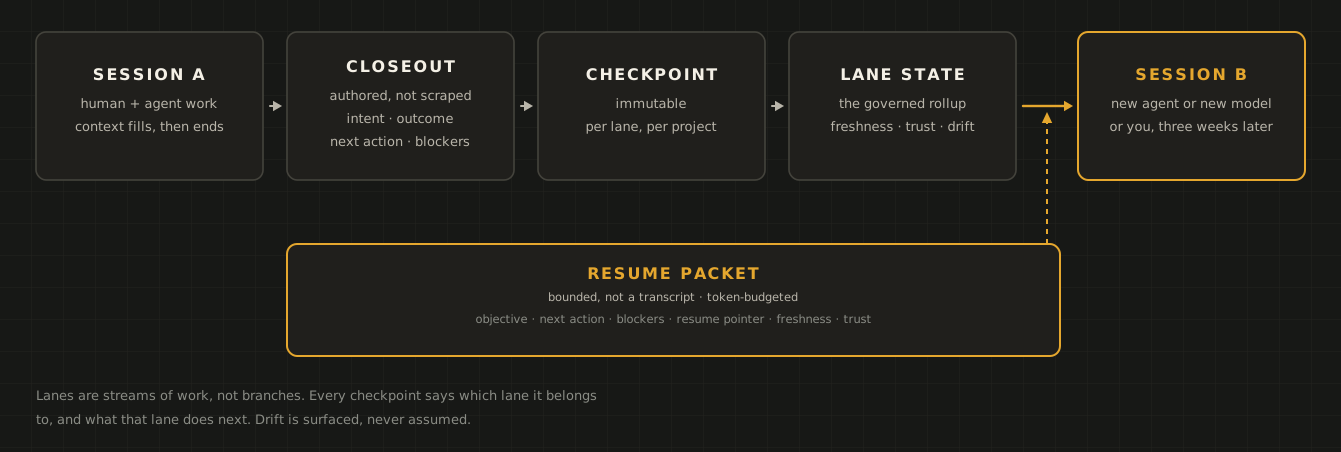
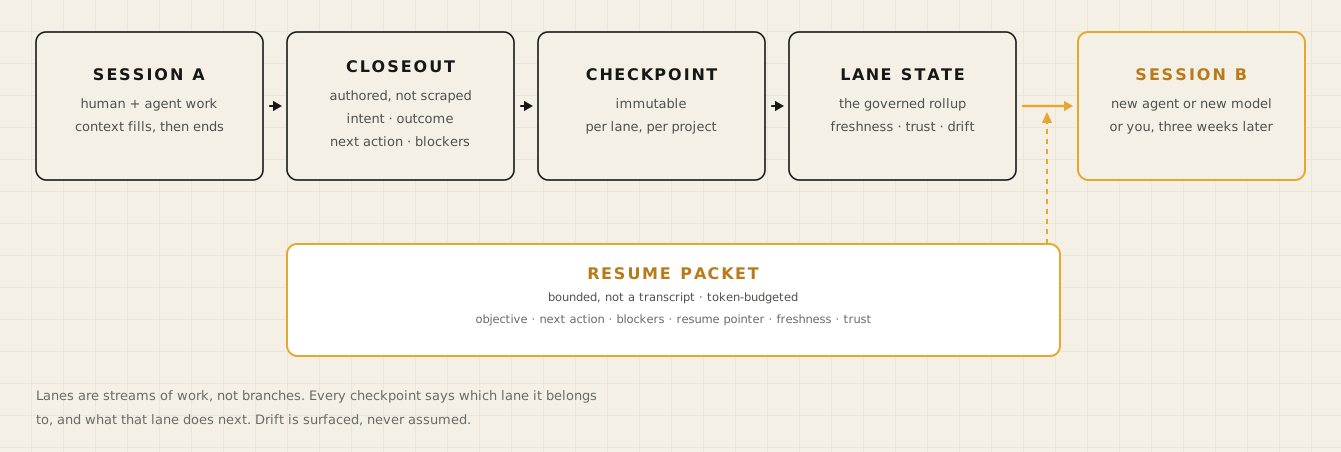 The next session reads a packet derived from saved work state. The full record remains available to inspect.
01 / FinishRecord the outcome, decisions, blockers, and next action through your connected agent, the browser, or the CLI.
02 / InspectCheck what was captured. Closeouts preserve the work episode; the current state makes the next action visible.
03 / ResumeAsk a connected client to resume the project. It reads the saved state before taking the next step.
You control accessAI apps you connect can save to your own projects. In Hub, restrict any client to read, or revoke it.
Explicit writes, inspectable records, and access you control. Local use remains complete without an account.
Closeouts record the outcome, blockers, and next action at a clear write boundary.
An AI app you connect can read and save to your own projects. Restrict any client to read, or revoke it, from Hub.
Markdown and YAML you can inspect, diff, and repair by hand.
mcue holds operating state, nothing more.
Keep state on your machine, or make it available to connected clients through Hub.
Keep state on your machine, or use hosted state from connected AI apps while your computer is offline. Start in the browser with alpha access; the CLI can join later.
Start in the browser with alpha access, or publish an existing local project.
Follow the MCP setup guide for your client. Once you sign in, it can read and save to your projects.
Record what happened, what is unresolved, and the next action.
Ask a connected client to read the project’s saved state before continuing.
 Inspect your projects and their next actions in the Hub.
https://api.mcue.dev/mcpHub is open to a small number of accounts while it is proven in daily use.
During the alpha, your invite carries both: Hub access, and a personal key that unlocks the CLI download. Once installed, closeout and resume work offline without an account.
Create a project in your browser, then connect your AI app. No CLI installation required.
curl -fsSL https://mcue.dev/install.sh | MCUE_DOWNLOAD_KEY=<your-key> shUse the key from your invite. Download page for Windows and direct binaries.
The practical details of saving work and picking it up again.
No. Start in the browser with Hub, or install the CLI and work locally, with no account. They are ways to work with the same mcue state model. You can connect them later.
mcue keeps an explicit work record: objective, outcome, blockers, decisions, and next action. You can inspect that record and read it through connected clients. It complements your AI app’s memory rather than relying on a transcript to reconstruct the project.
No. An AI app you connect can write closeouts to your own projects. The mcue access rules ask an agent to propose each closeout and save it when you confirm, but mcue does not enforce a separate approval prompt for every save. To stop a client saving, restrict it to read or revoke it in Hub.
Not yet. During the alpha, both routes start with an invite: Hub access for the browser, and a personal download key for the CLI. Request access and you get both. Once installed, the CLI works offline without an account.
Compatible MCP clients can connect to mcue. Local and hosted connections have different setup requirements; the Getting Started guide covers the available paths. Cross-app continuation requires each client to be connected and authorized.
mcue stores work state, not your source repository. Keep code, documents, and tasks in their existing tools, and record pointers to the artifacts the next session needs. A project can also begin without a repository.
For coding agents, add the mcue access rules to your repository. Local and hosted MCP share the core read and write tools; follow the setup guide for the connection your client supports.
## mcue access rules

This project uses [mcue](https://github.com/ck46/mcue) for its
operating state — current objective, blockers, next action, resume
pointer, and checkpoint history. mcue is a local-first CLI and its
state is file-backed under `~/.mcue/`.

**Agents working on this project must access mcue only through the
CLI or (when available) the MCP read surface. Do not read or edit files
under `~/.mcue/` directly.**

### Start here, every time

Before any project work, recover context from mcue. This is the first
step at the start of a chat, again after your context is compacted or
reset, and again whenever the operator switches project or workstream.
It applies to **every kind of request** — a review, a fix, an
explanation, a question about a named file, a new idea — not only to
"where were we". The one exception is an explicit operator instruction
to skip it. Reading instruction files and discovering your tools first
is fine; searching the repository for the answer is not.

1. **Find the project.** A project the operator names wins. Otherwise
   start from the cwd: `mcue review` with no id resolves the `.mcue`
   footprint there. If neither settles it, `mcue index` lists every
   project — pick the one the operator is talking about, not the one you
   saw last.
2. **Discover its lanes.** `mcue review <project-id>` lists the active
   lanes by name with each one's next action. Lanes are streams of work,
   not branches; the list is dynamic, so read it rather than assuming.
AGENTS.md or CLAUDE.md; also served at /agents-snippet.md.resume | read | Fetch a bounded resume packet for a project lane |
project_state | read | Read current governed project state |
index | read | The derived portfolio view across projects |
checkpoint_latest | read | Read the most recent checkpoint |
checkpoint_history | read | List checkpoint headers newest first, without bodies |
closeout | write | Write a checkpoint and advance governed state |
init | write | Create a project with project state, decisions log, and default lane |
lane_create | write | Create a named operating lane inside a project |
youpick up where we left off on payments-api
agentcalling resume — project_id: payments-api…
agentYou were wiring refunds to the ledger. Their client keys on UUIDs and ours are ULIDs, so every retry double-posts — you were waiting on Sam to say whether the ledger team would change the format. Resume at internal/ledger/client.go:88; TestRefundRetry is still red. Want me to start there?
Three commands cover the loop, and the state they write is plain Markdown and YAML you can inspect.
mcue init payments-api --name "Payments API"register a project, anchored to this directorymcue closeout payments-apicapture intent, outcome, next action, and resume pointermcue resume payments-apire-enter with a bounded context packetLane: default
Objective: Ship refunds end to end.
Next: Ask Sam which one the ledger team will support.
Blockers: Key format undecided: change ours, or wrap the client.
Resume at: internal/ledger/client.go:88, TestRefundRetry fails
Clarity: high | Cost: low | Fresh: fresh | Trust: high
Wire refunds to the ledger.
Ledger client assumes idempotency keys are UUIDs; ours are ULIDs, so every retry double-posts.

